Pages

Showing posts with label Design Grafis and Wallpaper. Show all posts

Portrait Professional 9.5.2


Portrait Professional 9.5.2 | 25.54 Mb

Portrait Professional 9 is new portrait airbrushing software that has been "trained" in human beauty. Exceptionally fast and easy to use, and capable of the highest quality touch up, it lets you improve your photos instantly, just by moving sliders.

With Portrait Professional, it's incredibly fast and easy for any photographer to enhance all aspects of the face and hair of the subject:
• Fix skin blemishes such as spots or pimples in a fraction of the time that conventional touch up software would require
• Reduce and/or remove wrinkles
• Remove grease, sweat or unsightly shine from the skin
• Subtly reshape all or any aspect of the face to reduce the apparent weight of the subject or make the face more attractive
• Enhance the eye and mouth shape color and sharpness
• Automatically smooth, recolor and thicken the subject's hair
• Adjust the lighting on the face to make it more flattering or remove shadows from hats

This is powerful technology that you do not have to fight with, as it requires no specialist skill or knowledge to bring out the beauty in your portraits.

New Version 9 Out Now
• New ultra natural ClearSkin® skin improving technology
• New intelligent touch up brush
• Multi-processor support
• New support for profile shots
• Now also available as a Photoshop plug-in
• Many other enhancements

FaceFilter Studio 2


FaceFilter Studio 2 | 15.91 Mb

FaceFilter Studio is intended for a correction or change of mien on a picture. It is possible to make an unusually razveselogo man out of gloomy subject, create a quite blameless model person. From time to time the products of similar family are placed to the market, but for today FaceFilter, perhaps, does not know itself competitors on the amount of possibilities and quality of result.

To, that we see on the covers of glossy magazines! No Photoshop are only a few steps and fairy-tale action, from faceless, in an adorable person. The function of Smart Portrait automatically will recognize the outlines of human person and will place the points of treatment and will lead you step by step to the delightful result.

FaceFilter Studio Edition analyses the hundreds of persons which are in his database, and destroys the formula of sweet face. The program will do so, that on a picture you will look younger, more clever, more good, without red eyes, with other color of skin

In the program the library of the prepared templates is included with different miens, which can be laid on on the real pictures. Among them am and humorous, for example, such, which will make similar to you on certain animals. Now you with lightness can process a person on a picture and you not may need Photoshop.

Due to the function of Smart Portrait a face will be automatically recognized and the points of treatment are placed. After working off the program will return you a clean person: without wrinkles, pimple of birth-marks, scars, with clear talking eyes.

FaceFilter Studio Edition owns wide possibilities: ot stand retouches and corrections to treatment on purpose get a clear expressive portrait. Allows to import for editing a picture with high permission to 25 Mega of pixels. Export in formats: JPG, GIF, BMP and great number other.


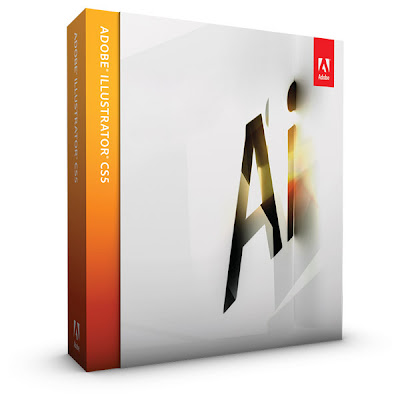
Adobe Illustrator CS5


Adobe Illustrator CS5 | 1.6 Gb

Adobe Illustrator CS5 Rediscover what you love about illustration by moving to Adobe Illustrator CS5 software. Now you can convert bitmap images to scalable, editable artwork in seconds. Paint more intuitively. Find the tools you need more easily. Customize your workspaces. Take your graphics to the printed page, Web sites, video, mobile devices, and virtually everywhere you want to go. See for yourself how vector graphics have been reinvented.


Password Unrar :
http://2ddl.com

Adobe CS5 Master Collection


Adobe CS5 Master Collection | 6.63 Gb

Tell your story from start to finish with one comprehensive offering. Adobe® Creative Suite® 5 Master Collection software enables you to design and develop amazing work, collaborate effectively, and deliver virtually anywhere. Craft a corporate identity using Illustrator CS5 to engage your audience online. Use new Flash Catalyst CS5 to make it part of an expressive, interactive interface without writing code.

Use Flash Professional CS5 to engage your audience with microsites and casual games that present your designs consistently across desktops, browsers, and mobile devices. Enhance HD video productions with high-resolution imagery from Photoshop CS5 Extended. Add intricate effects using After Effects CS5, and edit dramatically faster in Adobe Premiere Pro CS5.

Contents:
* Adobe Photoshop CS5 Extended - Discover new dimensions in digital imaging
* Adobe Illustrator CS5 - Explore new paths with the essential vector tool
* Adobe InDesign CS5 - Design professional layouts for print and digital publishing
* Adobe Acrobat 9 Pro - Deliver revolutionary digital documents and accelerate information exchange with PDF
* Adobe Flash Catalyst CS5 - Create expressive interfaces and interactive content without writing code
* Adobe Flash Professional CS5 - Create and deliver rich interactive content
* Adobe Flash Builder 4 - Develop cross-platform rich Internet applications
* Adobe Dreamweaver CS5 - Design, develop, and maintain standards-based websites and applications
* Adobe Fireworks CS5 - Rapidly prototype and design for any device
* Adobe Contribute CS5 - Simplify website management
* Adobe Premiere Pro CS5 - Bring high-performance editing to next-generation storytelling
* Adobe After Effects CS5 - Create motion graphics and visual effects with the industry standard
* Adobe Soundbooth CS5 - Create and edit audio with ease
* Adobe OnLocation CS5 - Shoot better and faster with powerful production tools
* Adobe Encore CS5 - Deliver virtually anywhere

System Requirement:
* Intel® Pentium® 4 or AMD Athlon® 64 processor (Intel Core™2 Duo or AMD Phenom® II recommended); Intel Core 2 Duo or AMD Phenom II required for Adobe® Premiere® Pro
* Processor with 64-bit support required for Adobe Premiere Pro and After Effects®
* Microsoft® Windows® XP with Service Pack 3; Windows Vista® Home Premium, Business, Ultimate, or Enterprise with Service Pack 1 (Service Pack 2 recommended); or Windows 7
* 64-bit edition of Windows Vista or Windows 7 required for Adobe Premiere Pro and After Effects
* 2GB of RAM (4GB or more recommended)
* 24.3GB of available hard-disk space for installation; additional free space required during installation (cannot install on removable flash-based storage devices)
* 1280x900 display (1280x1024 recommended) with qualified hardware-accelerated OpenGL graphics card, 16-bit color, and 256MB of VRAM



Password Unrar :
:LegACy:

Note :
Ketik manual untuk menghindari hal-hal yang tidak diinginkan

Note :
Yang part terakhir mediafire, "Adobe CS5 Master Collectionpart28.rar", diekstrak dulu biar dapat Adobe CS5 Master Collection.part28.rar, baru abis itu diekstrak semua part 1-28nya, soalnya rupanya mediafire tdk bisa ngeupload file ber password

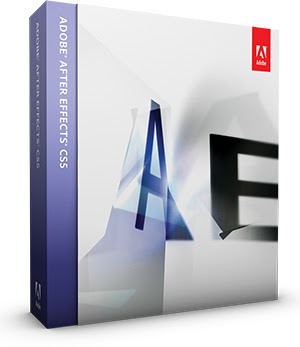
Adobe After Effects CS5


Adobe After Effects CS5 | 1.37 Gb

Adobe® After Effects® CS5 delivers more of the creative control you crave, while making it faster to work on high-resolution projects.

Native 64-bit support means you can tap all the RAM on your system to work more efficiently with HD, 2K, and 4K projects.

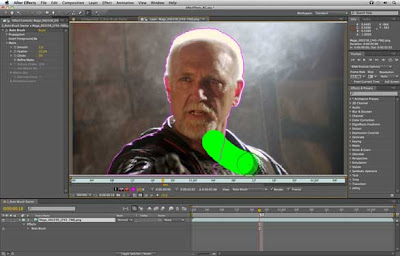
The new Roto Brush tool delivers rotoscoping results in a fraction of the time. Plus, dozens of user-requested features make everyday tasks easier.

Whether you're working in broadcast and film or delivering work online and to mobile devices, Adobe® After Effects® CS5 software enables you to create groundbreaking motion graphics and blockbuster visual effects.

What's new in After Effects CS5 :

Native 64-bit OS support new
Work fluidly on high-resolution projects — even at 32-bit-per-channel color inside HD, 2K, and 4K compositions. Use all of your system's RAM. View a list of 64-bit third-party plug-ins.

Roto Brush
Isolate foreground elements from backgrounds in a fraction of the time it would otherwise take using this revolutionary new tool.

AVC-Intra and enhanced RED support
Work natively with tapeless footage from the newest high-quality Panasonic cameras thanks to AVC-Intra 50 and AVC-Intra 100 support. Take advantage of improved support for RED R3D formats, and gain additional controls for working with raw footage. Do more with tapeless workflows

Dozens of enhancements
Benefit from dozens of customer-requested refinements that yield big productivity gains — such as the ability to align layers to comps.

Color Finesse enhanced
Enjoy an enhanced color correction workflow with the new features, finer control over hue and saturation, and ability to export settings as color lookup tables (LUTs) in Color Finesse LE 3.

DigiEffects FreeForm
Turn flat objects into virtually any 3D shape using this popular 3D mesh warp plug-in.

Expand your video options
Include After Effects elements in Adobe Premiere® Pro timelines without rendering intermediate files, thanks to Dynamic Link. Animate 3D objects created in Adobe Photoshop® Extended and combine them with other video and graphical elements.

Do more with Creative Suite® Production Premium
Videomocha including variable width mask feather and trackable masks

Mocha for After Effects v2 enhanced
Apply motion tracking to hand-drawn masks and import variable-width mask feathers. The powerful mocha shape plug-in is also included.

Auto-Keyframe Mode
Animate quickly by setting starting keyframes automatically.

Color LUT support
Get consistent color in your workflow by using industry-standard 3DL and CUBE lookup tables.

Refine Matte effect new
Apply intelligent edge tracking, dechattering, and motion blurring capabilities to any layer with a problematic alpha channel, such as keyed footage.


Adobe Photoshop CS5 Lite Edition 12.0.1


Adobe Photoshop CS5 Lite Edition 12.0.1 | 150.43 Mb

Adobe Photoshop - this is one of the most popular image editors. Adobe Photoshop allows you to both create new images or edit existing image files.

Graphic editor Adobe Photoshop is used to create photo-realistic images, work with color scanned images, retouching, color correction, collaging, transformation diagrams, color separation, etc. Adobe Photoshop has all the methods of working with bitmaps, in this case has the opportunity to work with layers and uses contours.

Adobe Photoshop is the undisputed leader among the professional graphic editors due to its widest possibilities, high efficiency and speed. On assurances the developer version of CS5 almost twice the speed of work CS4.

Advantages of Adobe Photoshop Extended:
- Convenient dynamic control panel for access to all the necessary tools for color correction and toning images, styles, and other editing tools.
- Streamlined Interface.
- Rotate the canvas with a single click from any angle.
- Intelligent scaling.
- Per-pixel image-editing by maximizing individual sites without losing definition.
- Improved editing of motion graphics.
- View photo collections in a convenient format: tabs or in a format mosaic

Features Lite version DM Edition:
Presented a lightweight version is fully functional. The program interface is Russian or English on the user's choice. By removing the other languages, help files, cumbersome installer system activation, additional components Bridge, Device Central and maximum compression of the distribution by size of installation file is significantly decreased.

Minimal integration program files in the system significantly reduces installation time and download Adobe Photoshop CS5. Added plugin Camera Raw v.6.1.0.250 and Nvidia DDS
Can be integrated in the distributions, the key silent installation / S Warning! Key case sensitive.

System Requirements:
• Intel Pentium 4 or AMD Athlon 64 Vnimnie! Version CS5 requires SSE2 instructions from your CPU!
• Windows XP SP3; Windows Vista Home Premium, Business, Ultimate, or Enterprise with Service SP1, or Windows 7
• 512 MB RAM
• 400 MB of free hard disk space
• Screen resolution of 1024x768, video card with support for OpenGL 2.0
• Some GPU-accelerated features require graphics support for Shader Model 3.0 and OpenGL 2.0
• Software: QuickTime 7.6.2, required for multimedia features.


Adobe Photoshop CS5 Extended


Adobe Photoshop CS5 Extended | 984.40 Mb

Adobe Photoshop CS5 Extended is an ultimately powerful solution for digital imaging that has all necessary tools to provide users with stunning performance and support for the latest trends in the industry.

Extended version of the product provides extra tools for editing 3D and motion-based content. Moreover, owners of 64-bit systems can enjoy extra fast work and native acceleration.

Key features of this release:
new painting effects, simplified work with complex selections, HDR imaging tools, improved more efficient workflow, media management upgrades, better support for RAW images processing, more realistic 3D images, streamlined review tool and much more.

System Requirements:
* Microsoft Windows XP (SP3 required), Windows Vista (SP1 required, SP2 recommended), Windows 7;
* AMD Athlon 64/Intel Pentium 4 processor or faster;
* At least 1GB of RAM (2GB recommended);
* 1GB of free space on hard-disk drive, more space is required for installation process; the program cannot be installed on removable memory devices;
* At leas 1024x768 screen resolution (1280x800 or higher is recommended); 16-bit color video card with 256MB of VRAM and OpenGL support for hardware acceleration;
* A part of features require support for OpenGL 2.0 and Shader Model 3.0;
* Online service require broadband connection;
* A part of multimedia features require installation of QuickTime 7.6.2 software.

Serial :
1330-1090-7005-9640-6325-2629

Panorama Corrector 2.0 For Adobe Photoshop


Panorama Corrector 2.0 For Adobe Photoshop | 4.91 Mb

The Photoshop compatible plug-in filter Panorama Corrector can correct many kinds of distortions of panoramic and non-panoramic images, making them look natural and perfect. Panorama Corrector 2 is a universal tool. It can be used to correct many distortions of different nature: panorama distortion (common for most panoramic images); perspective shift, image skewing and rotation; lens distortion; curved horizon (caused by camera tilt, unfavorable shooting spot or by stitching software); any other distortions that cause curvature of straight lines or changes in shape or size.

Panorama Corrector is especially recommended for correction of panoramic and wide-angle images that represent pieces of architecture, furniture, large groups of people, interior scenes and urban landscapes. You can have a look at our galleries to get a general idea of what this technology is capable of.

Panorama Corrector 2 is a universal tool. It can be used to correct many distortions of different nature:
- panorama distortion (common for most panoramic images),
- perspective shift, image skewing and rotation,
- lens distortion,
- curved horizon (caused by camera tilt, unfavorable shooting spot or by stitching software),
- any other distortions that cause curvature of straight lines or changes in shape or size.


29 October 2010 Macromedia Flash 8 Professional


Macromedia Flash 8 Professional | 106.48 Mb

Macromedia Flash Professional 8 is the industry's most advanced authoring environment for creating interactive websites, digital experiences and mobile content. With Flash Professional 8, creative professionals design and author interactive content rich with video, graphics, and animation for truly unique, engaging websites, presentations or mobile content.

A major product release for Macromedia, Flash Professional 8 has many brand new features including: amazing graphic effects, integrated and stand-alone video encoding complete with support for alpha transparency, high-quality text rendering with advanced anti-aliasing control, improved text tools, and a new video plug-in to export Flash Video (FLV) files from professional video products.


Features of Macromedia Flash Professional 8 :

- Twice as Fast
Boost runtime performance by 2-8x with the enhanced compiler and the new Macromedia Flash Player 7.

- Third Party Extensions
Create charts and graphs, animate text effects and more with extensions (sold separately)

- High Fidelity Import
Integrate rich media content faster with high fidelity import of PDF and Adobe Illustrator 10 files.

- Timeline Effects
Simplify common timeline and scripting tasks with new Timeline Effects and Behaviors.

- Applications and Data
Build rich Internet applications with a familiar forms-based development environment and powerful data binding.

- High Quality Video
Deliver high-quality video with new professional video capabilities.

- Advanced Interactive Content
Create sophisticated interactive content using slides to organize and sequence your project.

- Mobile and Device Development
Produce and test content for devices and mobile phones with device templates and emulators.


Corel Draw Graphics Suite X4 SP2


Corel Draw Graphics Suite X4 SP2 | 367 Mb

Transform ideas into professional results with CorelDRAW Graphics Suite X4 ! With this comprehensive graphics suite, you can confidently tackle a wide variety of projects - from logo creation and Web graphics, to multi-page marketing brochures, or eye-catching signs.

CorelDRAW® Graphics Suite X4 lets you tackle creative graphics and design projects with confidence. Precision tools, market-leading file compatibility and high-quality content help you turn your creative ideas into professional results: from distinctive logos and signs, to striking marketing materials and eye-catching web graphics.

Plus, CorelDRAW Graphics Suite X4 comes packed with additional applications and services to help meet your graphics needs. The suite truly offers the ultimate combination of superior design capabilities, speed, and ease of use for an affordable price.


What's included:

Supporting applications/services in the box
Along with CorelDRAW X4, Corel PHOTO-PAINT X4 and Corel PowerTRACE X4, CorelDRAW Graphics Suite X4 includes many other valuable applications and integrated services:

Corel CAPTURE™: Capture images and other content from your computer screen in professional, high quality with this one-click capture utility.

CorelDRAW® ConceptShare™: This valuable online collaboration tool is integrated into CorelDRAW Graphics Suite X4 making it easy for you to share your designs and ideas with colleagues or clients in real time over the Web. Create multiple workspaces, upload your designs, and invite others to provide feedback or submit their own ideas.

Bitstream Font Navigator: This award-winning font manager for the Windows® operating system lets you manage, find, install, and preview fonts.

WhatTheFont™: This online font identification service from MyFonts.com is integrated into CorelDRAW Graphics Suite X4. Just upload bitmap files to the service, or capture them from web sites with Corel CAPTURE, and WhatTheFont will help identify the font used within the file.
Barcode Wizard: Generate bar codes in a wide range of industry-standard formats.

Service Bureau Profiler: The Profiler helps you prepare your work for professional printing.
Duplexing Wizard: This wizard helps you optimize your work for printing two-sided documents.

Content (clipart/photos/fonts/templates)
CorelDRAW Graphics Suite X4 delivers incredible value with all this additional content*:
* 10,000 high-quality clipart images, individually selected to meet the needs of design professionals and occasional users alike
* 1,000 high resolution, royalty-free photographs from iStockphoto®
* 1,000 OpenType fonts, including 75 Windows® Glyph List 4 (WGL4) and 10 single-line engraver fonts
* 80 professionally designed templates

3D models Steelcase Furniture Factory


3D models Steelcase Furniture Factory
488 model | dwg pdf jpg | Textures: none |1.47 Gb
Ps: Filesonic is now the best download server, which stores files in longterm.


Download
http://www.filesonic.com/file/247894574/3D_SteelcaseEU.part1.rar
http://www.filesonic.com/file/247891284/3D_SteelcaseEU.part2.rar
http://www.filesonic.com/file/247901344/3D_SteelcaseEU.part3.rar
http://www.filesonic.com/file/247926171/3D_SteelcaseEU.part4.rar
http://www.filesonic.com/file/247934261/3D_SteelcaseEU.part5.rar
http://www.filesonic.com/file/247921091/3D_SteelcaseEU.part6.rar

Mirror
http://www.fileserve.com/file/z9CKX7U
http://www.fileserve.com/file/qJEzWEr
http://www.fileserve.com/file/xXk8CYH
http://www.fileserve.com/file/GGS3wtc
http://www.fileserve.com/file/6zTYCWY
http://www.fileserve.com/file/HgSPUrE

Adobe After Effects CS5 ALL Red Giant Guru Presets


Adobe After Effects CS5 ALL Red Giant Guru Presets | 1.61 GB
Cassidy Bishers Light Effects for Trapcode Suite
Cassidy Bishers Text Effects for Trapcode Suite
Cassidy Bishers Text Effects Vol 2 for Trapcode Suite 2010
David Vinsons Particles Vol 1 for Particular
David Vinsons Super Rays for Shine
Eric Escobars Indie Film for Looks
Harry Franks Holidays for Particular
Harry Franks Looping Backgrounds for Trapcode Suite 2010
Harry Franks Video Rock for Particular
Nando Costas Elements for Trapcode 3S Bundle
Nick Campbells Vintage Film for Looks 2010
Red Giant Harry Franks Cinematic Flares for Knoll Light Factory
Red Giant Stu Maschwitzs Rebel Epic for Looks
Simon Walkers Weddings and Events for Looks

More info: http://www.redgiantsoftware.com

Download (FileSonic)
Part 1 | Part 2 | Part 3 | Part 4

Download (FileServe)
Part 1 | Part 2 | Part 3 | Part 4

Games Wallpapers


Adobe Photoshop CS6 Inc Serials Full


Create images with instant impact with Adobe Photoshop CS6–the industry standard in digital imaging software. Adobe Photoshop CS6 redefines digital imaging with powerful new photography tools and breakthrough capabilities for complex image selections, realistic painting and intelligent retouching. Easily select and mask intricate image content such as hair. Remove any image element and watch the space fill in almost magically. Create stunning high dynamic range (HDR) images. Paint with realistic strokes and colour blends. Remove noise, add grain and create vignettes with state-of-the-art photography tools. Benefit from more memory and experience massive speed gains with native cross-platform 64-bit support, and full optimisation for Windows 7

Adobe Photoshop CS6 Extended Edition contains:
Adobe Photoshop CS6 Extended
Adobe Air
Adobe Device Central CS6
Adobe Media Player
Adobe Extended Script Toolkit CS6
Adobe Extension Manager CS6
Adobe Fonts CS6
Adobe Bridge CS6

System requirements
*Itel Pentium 4 or AMD Athlon 64 processor.
*Microsoft Windows XP with Service Pack 3; Windows Vista Home Premium, Business
Enterprise or Ultimate or any Windows 7.
*1GB of RAM.
*1GB of available hard-disk space for installation.
*1024×768 display (1280×800 recommended) with qualified hardware-accelerated
OpenGL graphics card, 16-bit color, and 256MB of VRAM
*Some GPU-accelerated features require graphics support for Shader Model 3.0 and
OpenGL 2.0
*QuickTime 7.6.2 software required for multimedia features

Serials-
1330-1971-4830-5668-6067-1762
1330-1912-2628-0850-0232-4869
1330-1148-0472-2735-6555-0617
1330-1544-4195-8131-3034-5634
1330-1886-0283-4688-9152-2034
1330-1118-3174-6558-8260-5378

All the serials do work but if for some reason CS6 wont accept the serial install
as a trial then enter the serial on the first launch of CS6 and the serial will be
accepted.
Windows Vista & Windows 7 users install the application as admin (right click setup.exe run as admin).
Windows Vista & Windows 7 users the first time you start Photoshop do so as admin
(right click run as admin)to register all processes and enable all functions.
X64 users skip the copy dll file steps as you dont need to do that.
X86 users only replace the dll file if you have licence errors when installed.

Advanced JPEG Compressor v2010.8.1.95


Advanced JPEG Compressor for Windows is the world's leading software for compressing digital images in JPEG format.

Use Advanced JPEG Compressor for a variety of personal or business purposes:

Easily reduce the large file sizes of your graphic files
Impressive file size reduction without losses in picture quality! Smaller files take less space and up and download faster. Effectively optimize photos for faster loading from the Web and faster sending by e-mail - avoid exceeding size limits. Compress scanned documents for storage/transferal.

Key features:
· Interactivity - the process of compression becomes visual, effectively trading image quality with file size by adjusting the compressor's settings. It also offers a preview of the resulting image immediately in the result image preview window

· Multi-document interface allows you to work with many images at the same time, enabling you to view and compare different compression parameters applied to either the same or different images

· Advanced JPEG compression engine, specially optimized for higher image quality, considerably reduces the file size of images and provides the most comprehensive set of options to tune the compression level

· Compression profiles considerably improve processing of multiple images with similar characteristics. A compression profile contains the most important compression parameters along with resizing information. You can create, save, edit and apply named compression profiles

· Photo hosting integration allows you to save photos in the Web. Our photo hosting service allows you to upload and store your photos on our web server. Use this feature to share your photos online - email links, insert photos in forums, use for auctions, etc.

· Graphic Detail Quality Equalizer is a unique feature that gives you significant flexibility in adjusting the compressed image quality. Its 5 bands are intended to tune the compression level applied to the image details with different sizes (ranging from large to small)

· Compression-oriented image prefiltering helps to achieve better compression/optimization results and improve the visual appearance of an image. You can choose one of five filters and change the level and radius (depth) of applying the active filter

· Separate compression sliders for Luma(intensity) and Chroma(color) channels allow you to gain better compression results, eliminate color artefacts, and significantly improve the compressed image quality

· Hold the defined compression ratio is a unique feature for graphic software that allows you to create images whose file size is limited by the defined compression ratio (like the "bit rate" parameter for audio files), and does not depend on their content

· Selective image compression - some areas of the image can be compressed more or less than others. This useful feature allows you to save high quality for the most important parts of the image (faces,etc.), and lower for the rest, achieving excellent compression results

· Progressive JPEG images support; images in this format being published on the Web will be incrementally displayed (gradually improving their quality) during loading from the Internet or other communications

· Additional options for adjusting precision of compression allow you to get the best result depending on the priority: small file size or high image quality (which means large file size)

· Ability to acquire images from TWAIN compliant devices - such as scanners or digital cameras

· Image Resizing(Resampling) by using one of three implemented high-quality interpolation methods

· Viewing/Editing the invisible text (signature, copyright notice, comments, etc.) embedded in your JPEG file

· Possibility to crop unnecessary portions of the image

· Easy-to-use and highly customizable user interface