Pages

Showing posts with label Multimedia and burning Tool. Show all posts

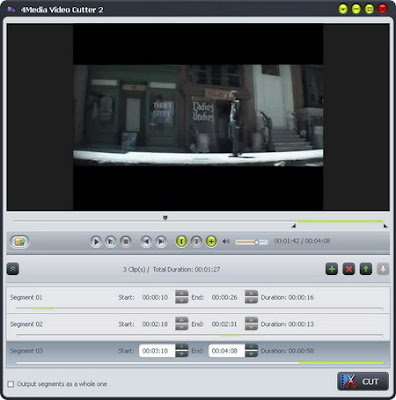
4Media Video Cutter 2.0.1.0111


4Media Video Cutter 2.0.1.0111 | 20.45 Mb

Extract any segment from a video file by 4Media Video Cutter 2 with ease. 4Media Video Cutter 2 provides the easiest solution to cut video clips just by setting start point and end point respectively. You can clip as many video segments from one source as you want and have a real-time preview on the source and output files in the built-in media player.

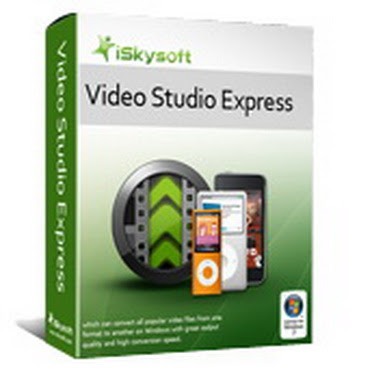
iSkysoft Video Studio Express 1.0.0.3


iSkysoft Video Studio Express 1.0.0.3 | 17.07 Mb

iSkysoft Video Studio Express for Windows provides the easiest way to turn video clips into movies. By simply drag and drop your files into the project area, you can create a perfectly timed movie with smooth transitions, professional effects and background music.

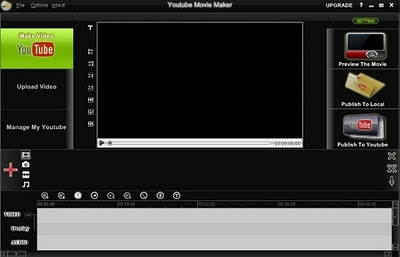
Youtube Movie Maker - Portable


Youtube Movie Maker - Portable | 30.05 Mb

Youtube Movie Maker is a total solution for Make, Upload and Manage Youtube Videos, help you easy to make cool Youtube videos, to batch upload various formats videos onto Youtube, promote and manage videos on Youtube. Youtube Movie Maker is the best choice for all Youtube user.

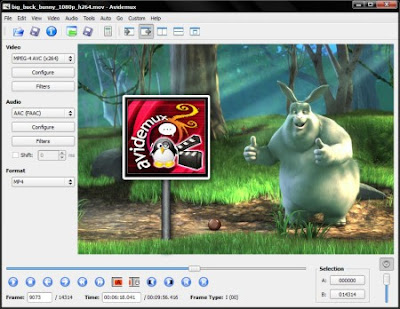
Avidemux 2.5.2


Avidemux 2.5.2 | 9.95 Mb

What the heck is Avidemux? Imagine an application which does everything VirtualDub can do, but runs on various platforms, supports a lot of containers, comes with all Codecs you need built-in and doesn´t use the nasty VfW interface.

That applications is Avidemux! And now the "official" version: Avidemux is a free video editor designed for simple cutting, filtering and encoding tasks.

It´s graphical user interface looks pretty similar to VirtualDub and most features known from VirtualDub are available too. Avidemux natively supports a great number of file types, such as AVI, MPEG, VOB, TS, MP4, ASF, OGM, MKV and FLV.

At the same time Avidemux natively supports a wide range of Video/Audio formats, including MPEG-1, MPEG-2, MPEG-4 ASP, H.264/AVC, DV, HuffYUV, MP3, AAC, AC-3 and Vorbis.

Tasks can be automated using projects, job queue and powerful scripting capabilities. Video-DVD or (S)VCD compliant streams can be created with easy-to-use "Auto" wizards. Multi-threading is supported!

What encoders are supported by Avidemux?

Avidemux comes with several video encoders built-in: Xvid (MPEG-4 ASP), x264 (H.264 aka AVC), libavcodec (MPEG-4 ASP, MPEG-2, MPEG-1, FLV, HuffYUV, FFV1, MJPEG, H.263, DV) and mpeg2enc (MPEG-1, MPEG-2). Also it includes various audio encoders: LAME (MP3), FAAC (LC-AAC), Aften (AC3), Ogg Vorbis and TwoLAME (MP2).

Please note that Avidemux does not support the platform-specific and outdated ´Video for Windows´ (VfW) interface and it never will!

This means there is absolutely no way to use DivX (or any other VfW-based Codecs) with Avidemux! But don´t worry: Avidemux will open all files, that were encoded with DivX, just fine. Avidemux simply uses it´s own (internal) MPEG-4 decoder instead of the proprietary DivX decoder.

Furthermore the files encoded with Avidemux and Xvid will play 100% fine on a "DivX certified" player, as long as you use the appropriate encoder settings...

What video filters are supported by Avidemux?

Avidemux comes with a wide range of video filters built-in. Most of those filters were ported from MPlayer, VirtaulDub or Avisynth. There are filters for Cropping, Resizing (Bilinear, Bicubic and Lanczos) and Expanding.

For processing of interlaced video, there are various Deinterlacing and IVTC filters (e.g. Yadif, TDeint, Kernel Deinterlacer, Smart Deinterlace, mcDeinterlace, DGBob and Decomb Telecide). Furthermore there are filters for Denoising (FluxSmooth, denoise3d/hqdn3d, Stabilize, Temporal Cleaner, etc.), Sharpening (MSharpen, asharp, etc.), Color Correction and many more.

Last but not least there is a new plugin system for ´external´ video filters now. So you can add additional filters to Avidemux without re-compiling!

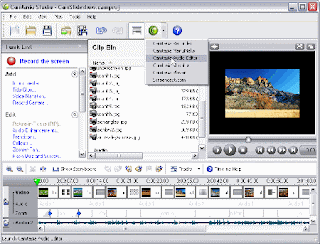
Camtasia Studio 6.0.2 Build 885


Camtasia Studio 6.0.2 Build 885 | 37.59 Mb

Camtasia Studio is the complete professional solution for recording, editing and sharing high-quality screen video on the Web, CD-ROM and portable media players, including iPod. With support for a variety of video standards, you can ensure your content delivery now and in the future.

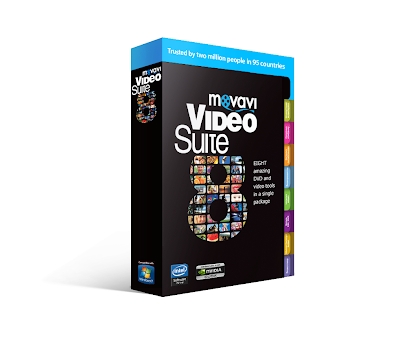
Movavi VideoSuite 8.0 | 184.73 Mb


Movavi Video Suite gives you EIGHT amazing video tools in one package. Convert video - including HD! - & audio to any formats and devices. Playback media. Rip unprotected DVDs.

Raduga Radio Automation Service 3.9.6 + Crack


Program Pemutar Musik di Stasiun Radio

Raduga adalah salah satu program pemutar musik di stasiun radio, dan lebih efektif untuk stasiun radio Anda. didesain secara simpel dan jelas, mudah digunakan dan setting yang cukup memuaskan.

Standard Features :

* DirectX Support - allowing the use of third party enhancement plugins
* Easy to use and understand

Guitar Pro 5.2 With Crack


Guitar Pro 5.2 With Crack | 11.21 Mb

Finding suitable software to help you out with learning a musical instrument can sometimes prove to be more difficult than just sitting down and teaching yourself. An inproportionate number of programs scrape the surface and don’t provide the flexibility, depth or support that you need to be

DAEMON Tools Lite 4.35.5


DAEMON Tools Lite 4.35 | 8.74 Mb

With DAEMON Tools you can back up your physical CD/DVD/HD DVD/Blu-ray discs into "virtual discs" or so called "disc image" files, which run directly on your hard drive. You can also work with images created by other burning programs! DAEMON Tools supports variety of image types. Use CD/DVD image converter to have one format images in your Image Catalog!

1. Emulate virtual CD/DVD-ROM/HD DVD and Blu-ray drives

DAEMON Tools Lite [Commercial] enables you to emulate up to 4 CD/DVD virtual drives on your PC. Virtual drives will appear in your OS just like real ones. Select a virtual drive then choose a disc image you want to mount. Find the created virtual drive with mounted disc image in My Computer. Start working! Looks like working with a real drive and a real disc, doesn't it? Yes, but it is much faster!

2. Create a disc image

With DAEMON Tools Lite [Commercial] you can create ISO and MDS image files from original discs inserted in physical CD/DVD/HD DVD/Blu-ray drives. Or use images you have created earlier with other program. DAEMON Tools products work with variety of image types.

Key Features :
* creates *.iso and *.mds images;
* emulates up to 4 virtual CD/DVD drives;
* performs image mounting and unmounting;
* supports *.b5t, *.b6t, *.bwt, *.ccd, *.cdi, *.cue, *.nrg, *.pdi, *.isz;
* offers powerful command line interface.

Alcohol 120 2.0.0.1331


Alcohol 120 2.0.0.1331 | 10.33 Mb

Alcohol brings new meaning to the word multimedia! It is without a doubt a leader in its class, bringing the ability to emulate and record CDs and DVDs together into one amazingly easy to use software program. Now includes Alcohol Xtra.

A unique Pre-Mastering function. Using the latest technology the program is constantly being developed and improved to add new features, allowing it to maintain it’s position as a leading software package.

Imagine being able to store your most used CDs as images on your computer and just call them up at the click of a button! And then run them at 200x the speed of some CD drives and without requiring the CD itself! How about being able to make a backup of that CD onto another CD either using the CD itself or just using the image you have created? This is what Alcohol allows you to do and much more.

Features:
- Alcohol 120% enables you to make a duplicate back-up to recordable media of nearly all your expensive Game/Software/DVD titles, and/or an image that can be mounted and run from any one of Alcohol’s virtual drives.

- No other software available enables you to create up to a staggering 31 virtual drives, allowing you to run your game images at over 200x faster than from a conventional CD-ROM. Alcohol 120% is a powerful utility that uses a unique combination of options to ensure a perfect back-up every time.

- All you need is a PC combined with a CD or a DVD burner. No more replacing your expensive original discs due to loss, theft, scratches, or other media imperfections. Your duplicate works just like the original; your entire collection can be archived and your investment protected.

- In the home: Have you had experiences with the common conditions of CDs/DVDs? They can easily get scratched, damaged, broken, lost or even stolen. Alcohol provides you with peace of mind and protects your investment.

- Your original games/program discs can be safely stored away. Alcohol-created images mean that you always have your expensive media stored safely on your hard drive for instant retrieval at the click of a button. No more searching for the correct game disc or software application install disc, everything is at your fingertips.

- You can now, for instance, simultaneously play your favorite game and bring up your route planner without having to eject and reload any physical discs, The 31 virtual drive ability of Alcohol means you can have the equivalent of a staggering 31 CD-ROM drives in your Home PC, all instantly accessible. You can simply and quickly run your Disc image at around 200 times faster than that of a conventional CD-ROM drive. If you need a program or CD it is immediately there – always ready to use!

- At the office: Program discs and many other applications generally require the original disc to be in the computer’s CD-ROM drive. This restricts the amount of people in your office who can have access to the same software at the same time without the cost of additional discs. Alcohol’s virtual drives resolve that problem for you. No more hunting around the offices for that elusive disc you need to run your application, everything you require is just a click away.

- With Alcohol you can store your CD images on your office server, your colleagues and employees at their respective networked workstations will never need to come asking for a CD again, they will not even require an expensive CD-ROM drive installed in their workstation PC! A simple click is all that is required for them to have full access to any disc image they require for their day to day work. Your valuable CDs can be safely kept under lock and key.

What’s new in Alcohol 120% v2.0.0.1331:
- User Interface with Full Unicode Support
- Folder Management
- Enhanced Reading Writing Engines
- Audio Converter Plugin for MP3 Conversion
- Alcohol iSCSI sharing Centre
- Built in Protection Scanner

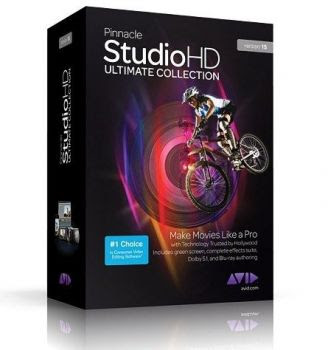
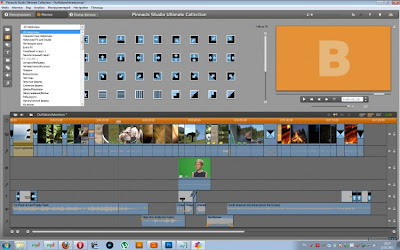
Pinnacle Studio HD Ultimate 15

Pinnacle Studio HD Ultimate 15 | 2.25 Gb


Make Movies Like a Pro—with Technology Trusted by Hollywood

Brought to you by Avid®, the world leader in professional audio and video creation technology, Pinnacle Studio™ HD Ultimate v.15 makes it easy to edit like a pro with intuitive new features, ultra-fast performance, and a massive content collection.

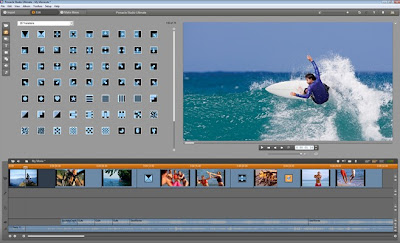
Quickly import videos and photos—then edit scenes and make HD movies with over 2,000 effects and other content. Add interest with sophisticated animated titles, and produce your soundtrack with immersive Dolby Digital 5.1 surround. Then export your projects to popular formats—or burn to DVD or Blu-ray—and share them with the world. The unique new Archive and Restore tool conveniently preserves your work.

Quickly import photos and video
Easily drag and drop videos, photos, titles, effects, and music

Automatically create music to fit the length of your movie
Choose from over 2,000 2D/3D effects, transitions and other content—including professional Red Giant plug-ins

Preview in real time using the player window or full-screen mode
Create an immersive experience with Dolby Digital® 5.1 sound
Export to popular formats or burn to DVD or Blu-ray discs

Included Content Collection
Professional Red Giant Plug-ins With the included Red Giant plug-ins, you can enhance your productions with the same visual effects used in blockbuster Hollywood movies:
Knoll Light Factory: Light and lens flares from master effects guru John Knoll (visual effects supervisor; Star Wars, Pirates of the Caribbean, Avatar)
ToonIt: Turn video into animation

Pinnacle Hollywood FX Volumes 1–3
Over 1,000 additional unique, professional-level transitions and effects with themes including Waves, Sports, Space, Sci-Fi, Holiday, Weddings, Comics and Cartoons, Pirates, Secret Agents, Tropical Vacation, Historical Architecture, and many more. Also includes HFX Editor for creating custom effects.

Pinnacle Premium Pack Vol. 2
54 DVD menu templates, 81 titles, and 79 sound effects with themes including Baby, Kids, Winter, Travel, and more.

Import
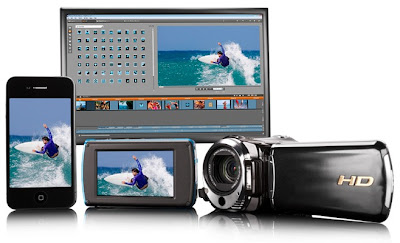
Import video and photos from video cameras, digital cameras, phones, DVDs, and more

Edit
Edit HD video on your computer-with ultra-fast performance when using AVCHD and H.264-based formats*Organize your media using the project bin and favorite foldersIncluded Montage templates give you a head start with easy-to-use, multi-layer animations, transitions, and titles Back up your work with the new Archive/Restore tool*

Enhance
Use the Motion Titler to create sophisticated animated titles-just drag and drop Add professional effects from award-winning visual effects company Red GiantAdd incredible Dolby Digital 5.1 surround sound to your productionsUse stop-motion capture for amazing animations and fast-motion effectsFix shaky camera shots with the same Avid technology used on major motion picturesUse the included DVD menus for a professional look

Share
Easy one-click uploading to YouTube-including high-quality widescreen and HD* formatsShare straight to Blu-ray and DVDExport movies to Flash, DivX Plus MKV*, QuickTime® HD*, AVCHD, AVCHD Lite*, PS3, Wii, Xbox®, and more

* New in version 15.

Minimum System Requirements*
Windows® 7, Windows Vista® (SP2), or Windows XP (SP3)
Intel® Pentium® or AMD Athlon™ 1.8 GHz (2.4 GHz or higher recommended)
-Intel Core™ 2 Duo 2.4 GHz required for AVCHD*
-Intel Core™ 2 Quad 2.66 GHz or Intel Core i7 required for
AVCHD* 1920
1 GB system memory recommended, 2 GB required for AVCHD*
DirectX® 9 or 10 compatible graphics card with 64 MB (128 MB or higher recommended)
-256 MB required for HD and AVCHD*
DirectX 9 (or higher) compatible sound card
3.8 GB of disk space
DVD-ROM drive to install software

Import Formats
Video: AVCHD*, AVCHD Lite*, BD Blu-ray*, DV, HDV, AVI, MPEG-1, MPEG-2, DivX®*, MPEG-4*, 3GP (MPEG-4)*, WMV, non-encrypted DVD titles (incl. DVD-VR/+VR), QuickTime® MOV (DV, MPEG-4*, H.264*), DivX Plus® MKV*
Audio: MP3, MPA, WAV, AC3*, WMA
Graphic: BMP, GIF, JPG, PCX, PSD, TGA, TIF, WMF, PNG, J2K

Export Formats
AVCHD*, AVCHD Lite*, BD Blu-ray*, HD-DVD, DVD (DVD-R, DVD-RW, DVD+R, or DVD+RW, dual layer), S-VCD, Video CD (VCD)
Apple® iPod®, Sony® PSP/PS3, Nintendo® Wii, Microsoft® Xbox compatible formats*
YouTube HD
DV, HDV, AVI, DivX*, RealVideo® 8, WMV, MPEG-1, MPEG-2, MPEG-4*, Flash, 3GP*, WAV, MP3*, QuickTime® MOV, DivX Plus MKV*
Dolby® Digital 2-channel and 5.1-channel audio*

Input Options
Capture from DV, HDV, and Digital8 camcorders or VCRs-requires a FireWire® port)
Capture from analog camcorders, 8 mm, HI 8, VHS, SVHS, VHS-C, SVHS-C, or VCRs (NTSC/PAL/SECAM)-requires Pinnacle or Dazzle video hardware)
Import from AVCHD* and other file-based camcorders, digital still cameras, mobile devices, and webcams via USB

Output Options
Output to DV, HDV, or Digital8 tape (requires camcorder with FireWire input port and a PC with a DV/FireWire port)
Output to analog videotape (requires DirectShow-compatible device with video output)

Optional Accessories
CD burner for creating Video CDs or Super Video CDs (S-VCDs)
DVD burner for creating DVD and AVCHD* discs
Blu-ray burner for creating Blu-ray discs*
Sound card with surround sound output required for preview of surround sound mixes*

* Requires free product activation via the Internet.


Download crack

WebcamMax 7.2.3.8 Portable


WebcamMax 7.2.3.8 Portable | 22 MB

WebCamMax - advanced utility to work with a webcam. The program, which adds amazing video effects to all webcams, even without a real camera. The program can be used by default in applications such as ICQ, AIM, MSN, Camfrog, Skype, Paltalk, Yahoo, ANYwebcam, Stickam. You can configure WebcamMax Full so that she would begin to operate and maintain broadcast from the camera only when the lens will lock the movement.
Features:

* For all webcam programs, ICQ, AIM, MSN, CamFrog, Skype, Paltalk, Yahoo Messenger etc.
* More than 1,000 effects at webcammax.com, including Mosaic, TV wall, Movie scene, Water, Smog, Emboss, Emotions and etc
* Floating text over video.
* Switching dynamically between multiple live and stored sources (videos, movies, pictures, or real time desktop).
* Effects DIY.
* Sharing single webcam by multiple programs at the same time.
* Becoming fashionable, sexy, cute, romantic or bewitched, or even horrible.
* Taking photos with whatever background you like and whenever you want.

Home Page - http://www.webcammax.com/


or

Cowon JetAudio v8.0.11.1600 Plus VX Full Version


JetAudio is integrated multimedia software composed of a single compact rack. Not only does it play various music and video files, but it also has other features such as CD burning, recording, conversion to other file formats, and so on. In addition to these features, you have the ability to create your own Internet broadcasting by using JetCast, which is provided with JetAudio. Play all major file formats and discs, including WAV, MP3, MP3Pro, OGG, WMA, MPG, AVI, WMV, MIDI, RM, and video, and audio CD. Convert among audio file formats, and record analog audio to various formats. The program features Internet broadcasting with JetCast; visualization plug-ins, including Sound2Vision; tag editing for MP3, OGG, and WMA; various sound effects including wide, reverb, and x-bass; multichannel sound output; speed control of audio playback; crossfading for smooth transition between two songs; a skinnable user interface; synchronized lyrics display (karaoke) for MIDI and MP3 files; and subtitles.

Features:
• Supports All Major File Formats, Video Conversion, Audio CD burning, Recording, Tag Editing, Multi-channel sound ouput, Crossfade, Skin, Subtitles, Internet CD Database, Convenient album management & Playlist, Utilities, Remote Controller, Media Center Window, Audio Conversion, Audio CD Ripping, Internet Broadcasting, Various sound effects, Speed Control, Resume, Synchronized Lyric (Karaoke), Alarm & Timer, Equalizer, Superb Crystal-Clear Sound, Toolbar mode

New in jetAudio 8.0:
* New video window display modes:
- Show always / Show only when playing / Attached
* Album art / Spectrum display in Video window when playing music
* Spectrum display in Lyric window
* New file association method for Windows Vista/7
* Supports subtitle with DXVA decoding
* Enhanced skins
* Supports FLV/MKV formats for video conversion
* Added General Presets for video conversion
* Shows in Playlist window
* Fixed many bugs/suggestions posted in our forum (thanks to the postings)
- Multi-sort in Playlist window
- Enhanced context menus of Playlist/Video window
- Added DVD Pal/NTSC for video conversion
- Supports Crossfade for mono
- Fixed video window resizing for EVR
- Fixed WAV playback (GSM codec)
- Fixed OSD (Music) opacity
- Transparent spectrum background in Media Center (set SpectrumColor_Back / SpectrumColor_Dot as -1)
- All Default skin sources included (only jsc files)

Winamp 5.60 Full


Winamp is a skinnable, multi-format media player.

Winamp supports a wide variety of contemporary and specialized music file formats, including MIDI, MOD, MPEG-1 audio layers 1 and 2, AAC, M4A, FLAC, WAV, OGG Vorbis, and Windows Media Audio. It supports gapless playback for MP3 and AAC, and Replay Gain for volume leveling across tracks. In addition, Winamp can play and import music from audio CDs, optionally with CD-Text, and can also burn music to CDs. Winamp supports playback of Windows Media Video and Nullsoft Streaming Video, as well as most of the video formats supported by Windows Media Player. 5.1 Surround sound is supported where formats and decoders allow.

Winamp supports many types of streaming media: Internet radio, Internet telelvision, XM Satellite Radio, AOL video, Singingfish content, podcasts, and RSS media feeds. It also has extendable support for portable media players, and users can access their media libraries anywhere via internet connections.

You can extend Winamp’s functionality through the use of plug-ins, which are available on the Winamp site.

05 February 2010 K-Lite Mega Codec Pack


The K-Lite Codec Pack is a collection of DirectShow filters, VFW/ACM codecs, and tools. Codecs and DirectShow filters are needed for encoding and decoding audio and video formats. The K-Lite Codec Pack is designed as a user-friendly solution for playing all your audio and movie files.


With the K-Lite Codec Pack you should be able to play all the popular audio and video formats and even several less common formats.

The K-Lite Codec Pack has a couple of major advantages compared to other codec packs:


* It is updated frequently. So it is always up-to-date with the newest and/or best components.
* All components have been carefully selected for specific purposes. It is not just a random bunch of stuff thrown together.
* It is very user-friendly and easy to use.
* The installation is fully customizable, meaning that you are able to install just those components that you really want.
* The customization abilities even go beyond the component level. Some components are able to handle multiple formats. You can specify exactly which components should handle which formats. The pack can thus be fully tweaked to your own specific needs and preferences.
* Uninstallation removes everything that was installed by the pack. Including all registry keys.
* It is extremely easy to make a fully customized unattended installation with the integrated wizard.
* It does not contain any bad, buggy or unstable codecs.

CyberLink PowerDVD Ultra 10 Cracked


PowerDVD is the consumer’s favorite Blu-ray / DVD playback software, complemented by high- definition Dolby and DTS audio technologies. PowerDVD now converts 2D movies into 3D, plays an extensive range of video formats including MKV, FLV, 3GP, and makes movies social by sharing bookmark reviews and live comments. Experience PowerDVD - the best Blu-ray playback and DVD player software available today.

No.1 Movie Experience on the PC - Upgrade Your Media Experience to 3D & HD:
• Immerse in brilliant Blu-ray 3D playback with CPU/GPU acceleration and lossless HD audio
• Convert DVDs and videos into a magical 3D experience
• Play an extensive range of video formats, including MKV, FLV, 3GP, and more
• Make movies social by sharing bookmark reviews and live comments

Brilliant Blu-ray Movies
Experience Blu-ray movies the way that only PowerDVD 10 can offer: simply unbeatable quality. Optimized for the latest hardware acceleration technologies from Intel, NVIDIA and AMD, PowerDVD ensures smoother movie performance. PowerDVD 10 launches your Blu-ray movies up to 4X faster too.

Blu-ray 3D Movies
Seeing is believing the kind of life-like imagery that Blu-ray 3D* can deliver, and PowerDVD 10 brings it to life on your PC. Offering the best quality 3D movie experience possible, PowerDVD is compatible with the full range of 3D hardware on the market, including glasses, graphics cards, and monitors.

Upscale DVDs and Videos to HD
Enjoy better movie playback quality for both your DVDs and video files with TrueTheater™ HD upscaling technology. DVD and media player PowerDVD 10 lets you output to an HDTV in a quality that looks noticeably sharper and clearer. Optimization for hardware acceleration ensures even smoother results.

Play DVDs in 3D
3D movie player PowerDVD 10 takes you to new heights of visual excellence for standard DVD content. Featuring advanced TrueTheater™ 3D technology, PowerDVD converts 2D movies into a spectacular 3D experience. Optimize playback quality for your movie content and hardware.

Better Video Playback
With PowerDVD 10 home videos can be enhanced using TrueTheater™ Stabilizer and TrueTheater™ Noise Reduction to improve quality as you play. As a universal player, PowerDVD now plays even more formats, gives you access to online movie trailers via MoovieLive, and lets you upload files to YouTube.

Home Theater Music
Supporting the latest music library features of Windows 7, PowerDVD 10 makes it even easier to listen to music from the player you use to enjoy your movies. Create playlists of favorite tunes. Use TrueTheater™ Surround technology to optimize your audio for home theater and PC hardware. Sounds great!

High Definition Audio
3D and HD movie player PowerDVD 10 lets your ears enjoy the ultimate movie experience too, with support for high-definition audio formats from Dolby Digital and DTS. Support for HDMI 1.3a delivers the purity of lossless HD audio via a single convenient cable to your home theater system.

Movie Reviews and Live Comments
Create movie reviews that other users can read and play using PowerDVD 10. MovieMarks combine bookmarks and review comments and can be shared online via MoovieLive.com. Meanwhile, Live Comments let you post your opinions to Facebook, Twitter and MoovieLive while your movie is playing.

Supported formats for Blu-ray & DVD playback:
• Supports the latest video formats: MKV, FLV, 3GP, AVCHD and AVCREC
• Supports the latest audio formats: Dolby TrueHD, Digtial EX, Plus; DTS-HD
• Transform 2D into 3D
• Compatible with Windows 7

DFX Audio Enhancer 9.303


Information

Give your digital music files more vibrancy with DFX� Audio Enhancer! DFX enhances your music listening experience by improving the sound quality of MP3, Windows Media, Internet radio and other music files. With DFX you can transform the sound of your PC into that of an expensive stereo system placed in a perfectly designed listening environment. Renew stereo depth, boost your audio levels and produce a deep, rich bass sound.
DFX Audio Enhancement Features
� Advanced DSP Sound Enhancement Effects
� Speakers and Headphones Optimization
� Finely-tuned, Customizable Music Presets
� Dynamic Sound Spectrum Analyzer
� Powerful Audio Processing Modes
� Stylish, Shapely Skins
� Space Saving Mini-mode Interface
� Presets Backup and Restore
� Preset Song Associations
� 5.1/7.1 Surround Sound Support
� 64-Bit Windows Support

New and improved features in DFX 9
* Automatic preset selection with associated songs
* Backup and restore personal presets
* 10 band audio spectrum analyzer
* Improved responsiveness and user control
* Gadget style user interface option
* 64-bit Windows support

Virtual CD v.10 Full


Virtual CD v.10 Full | 74.09 Mb

In addition to its numerous enhancements, the most striking feature of the latest Virtual CD release is the completely revised user interface.

Operation of Virtual CD is easier and more intuitive than ever. For first-time users, the new interface offers simple and direct access to all essential functions.

For more ambitious users or IT professionals, Virtual CD 10 includes an array of versatile tools for handling numerous media and users. Virtual CD is compatible with all current Windows operating systems and has the certification that attests to maximum stability and performance.

Virtual CD 10 goes beyond the classic CD and DVD formats and allows virtualization and virtual burning of Blu-ray and HD DVD media as well.


Download Here :

Nero Multimedia Suite Platinum HD 10.5


Nero Multimedia Suite Platinum HD 10.5 | 1.56 Gb

Year: 2010
Version: 10.5.10900
Developer: Nero AG
Bit stillest part: x32/x64
Compatibility with Vista: complete
Compatible with Windows 7: consummate
Language: Multilingual (Russian present)
Medicine: Present

Nero Multimedia Suite 10 Platinum HD ready multimedia package of 3 to 1 for video editing, burning and backup. Single powerful package of Nero Multimedia Suite 10, consisting of three products Nero Vision Xtra, Nero Burning ROM, Nero BackItUp & Burn gives the user a maximum of multimedia capabilities. It has advanced video editing, multimedia player, an excellent software for burning CDs, reliable backup technology, and special multimedia tools to enhance music and video files and photos.

System requirements:
* Windows ® XP SP3 (32bit), Windows Vista ® SP1 and on high (32 and 64bit versions), Windows ® July Home Premium, Professional, or Ultimate (32 and 64bit versions);
Processor AMD or Intel ® 2 GHz, 512 MB RAM (1 GB of RAM with a view to Windows Vista ® or Windows ® 7);
* In 64bit operating systems, applications protest in emulation mode 32bit environment;
* Nero DiscCopy Gadget does not labor in 64bit operating system;
* To make the software work properly, the stratagem must be correctly installed and recognized by the operating system;
* It is vehemently recommended that you install the latest WHQLcertified device drivers.

Contents:
* Nero Multimedia Suite 1910 Platinum HD 10.5.10900;
* Nero MediaHome 4.5.8.0b;
* Nero Move it 1.5.10.1;
* Nero InCD 6.6.5100;
* LightScribe Software;
* Nero General CleanTool;
* Manuals User Guide without interrupti~ the product features in Russian;
* Nero 9.0 HQ License author manager 5.55 BetaMaster;
* How To Install 19.10.2010.txt instructions instead of installation.

Edit video with Nero Vision Xtra:
* Search, Play, and easily dispose all your music, photos and video clips using the multimedia organizer every one of in one place
* Use advanced editing tools video (picture in drawing, total control, master track special effects, different effects and transitions) in the multitrack timeline to build their work truly personal
* Create highdefinition movies on DVD, and Bluray, using SmartEncoding to despatch HD video and burn Bluraydiscs in highquality cinematic format, with 24 consecutive frames
* The media player supports all popular audio, video and images, of the like kind as AVCHD, MKV, FLV, FLAC, DVD, MPEG4 AVC, (S)VCD, AVCREC and Audio CD, as well as various play lists and slide show
Burn music, pictures and videos forward a CD, DVD and Bluray, as well as access to your projects in friendly networks

Burning with Nero Burning ROM:
* Warranty readable disks, regardless of their age, wear and scratches due to security technology SecurDisc
* Transferring files using move slowly and drop to burn to CD, DVD and Bluray, as well for the re~on that to save the images
* Sharing large files for burning to multiple drives
* Additional data protection through encryption and add personal passwords
* High quality playback of ~ment
* Perfect copies of discs with reliable, uninterrupted burns

Backup using Nero BackItUp & Burn:
* Perform automatic backups in onetouch without having to change settings on your computer
* Technology SecurDisc guarantee the readability of data, increasing the chances of file recovery, premises protection against accidental changes and verification of data source
* Easily back up your rigorously drive, CD, DVD, Bluraydrives, FTP, memory card and online storage
* Restore material data after a computer failure or malfunction
* Restore damaged or deleted files from unpalatable disks, CD, DVDROM drive, flash drives and diskettes
* Backup files and folders put ~ multiple devices simultaneously

How To Install 19.10.2010
Prepare your combination of parts to form a whole before installing and activating Nero 9:

1. A user account through the rights of the Administrator
2. The OS family of Windows Vista / 7:
2.1 cripple UAC (Control Panel User Accounts Change the User Account Control) and reboot according to the changes;
2.2 for the installation / registration applications are (straightforward in case), run as administrator (rightclick on the icon of the toothed, the shortcut menu, choose Run as administrator)

Deleting old versions of Nero 10/9/8/7/6:

1. completing wholly the running, the application Nero; in the Service (so long to inquire for: a Start Run or Start All Programs Accessories Command Prompt spasm to execute services.msc) stop Nero BackItUp Scheduler (if installed Nero 9 / BackItUp & Burn) and NeroMediaHomeService.4 (admitting that installed MediaHome 4)
2. run the Nero General CleanTool (is in the allotment) remove the tails. Reboot your system. For prevention (not necessary, no more than sometimes it helps) you can repeat the process.
3. in the Program Files directory and the Documents and Settings (or Users and ProgramData ~ the sake of Windows Vista / 7) delete the folder containing the name of Nero (exercise search), then (not required) may additionally thirdparty software to delete temporary files
4. reboot the system.

Also, before installing it is desirable to upgrade the system. Minimum required:. NET Framework 3.5 (Windows 7 is even now there, no need to install), DirectX 9.0c (Current: June 2010):

1. Update DirectX 9.0c June 2010 http://download.microsoft.com/download/8/4/A/84A35BF1DAFE4AE882AFAD2AE20B6B14/directx_Jun2010_redist.exe
2) update. NET Framework to reading 3.5 http://download.microsoft.com/download/6/0/f/60fc58543cb84892b6dbbd4f42510f28/dotnetfx35.exe

And in ~issimo a stable job most of all is guaranteed at normal connected view, and not any different ZverDVD, Extreme and similar assemblies with everyone because of everything.

Start the installation:

1. Start the installation of Nero Multimedia Suite 10 Platinum HD. During the inauguration program will show you what components do not have the plan itself also offers them to download and install. Soglaschaemsya. The program disposition ask to go on the restart. We agree. After rebooting the ceremony of induction continues automatically. Now turns off the INTERNET!
2. Install Nero Multimedia Suite 10 Platinum HD through key 9X03014M337HH1CZL2KK229X1ZUXLPHA
3. After installation is complete, restart the system. Program does not advance.

4. If you need then set the Nero MediaHome 4 and Nero Move it.
* When the ceremony of induction comes to the choice of key open the Nero 9.0 HQ License author manager 5.55 BetaMaster (on Vista / 7 on behalf of the Administrator (tyknut up~ mouse button on the file there is this paragraph)), put a obstacle on the Auto Handle Installers, select CO list of these sum of ~ units products click Generate click Add to WhiteList they must be registered in the Control Center.

5. After a happy installation of the whole yummy reboot. Again, disable the Internet. Start the Nero 9.0 HQ License creator manager 5.55 BetaMaster (on behalf of the admin on Vista, and 7). Choose to mould Activation (Nero MediaHome 4), Activation (Nero move it) and DTS plugin clack Register Serial they must be registered in the Control Center.

6. Then annex manually in the Control Center the following keys:
DTS PlugIn: KK005195199K254K132E9056XC07
mp3PRO PlugIn: KC00203X18862446051E54C2XC60

IMPORTANT! No / not institute / unable to generate the keys on the following components:
Gracenote Plugin
BluRay Video Plugin
BluRay/HDDVD Plugin
BluRay Disc Authoring Plugin
BluRay Disc Playback Plugin
Move it Plugin

The in the greatest degree important thing: after the installation and activation (do not forget we habitually disabled internet !!!!) Run your firewall (also known as firewall, also known during the time that a firewall) and blocking access to the program Nero and the Internet.

Ideally, it would subsist so your firewall is interactive and when the Internet makes a suit to you such a product Nero climbs in the internet remit access or not? Block! How to configure firewall for this, at what place do get it I will not say Google your savior;)

And to this time do not use Nero Update and do not update the produce! This will give you a great chance not to lock the keys!

That the effect is not torturing you with a registration (not to stray from activation) erase the file NOSProductRegistration.dll at the following locations:
C: Program Files Nero Nero 10 Nero BackItUp OnlineServices
C: Program Files Nero Nero 10 Nero Burning ROM OnlineServices
C: Program Files Nero Nero 10 Nero Express OnlineServices
C: Program Files Nero Nero 10 Nero MediaHub OnlineServices
C: Program Files Nero Nero 10 Nero StartSmart OnlineServices
C: Program Files Nero Nero 10 Nero Vision OnlineServices

And in their locate create a dummy empty files with the same name.

Download Installer Here :



Download Crack/Patch Here :
Roxio Burn 1.8.38.5


Roxio Burn 1.8.38.5 | 31.84 Mb

Roxio delivers the industry’s best and easiest tools for burning CDs, DVDs and Blu-ray discs. The new, handy Roxio Burn desktop widget lets you easily drag and drop files for burning or copying right on your desktop.The final disc will be compatible with almost any Windows computer!

Features:
* Drag and drop files directly to a recordable CD, DVD or BD
* Process, format, and burn in one easy step
* Save files and folders to your recorder drive
* Share and transfer information inexpensively and quickly


Download Here :